

99.99%
Uptime SLA %
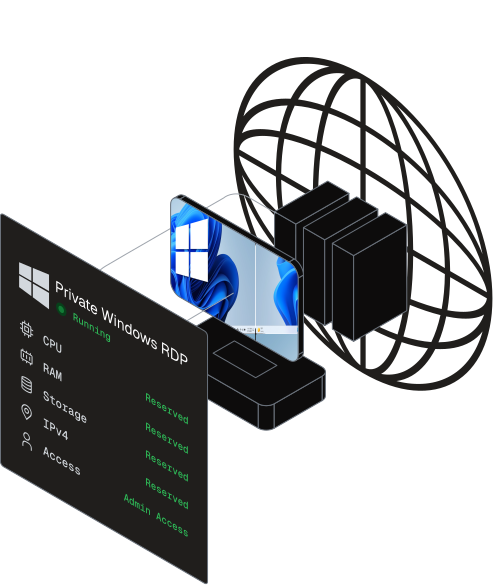
Private Windows RDP from DashRDP is a dedicated Windows Server remote desktop with full administrator access, a dedicated IPv4, and CPU, RAM and SSD reserved entirely for you no sharing, no throttling. It's a powerful Windows computer that lives in a data center and runs 24/7, so your trading platforms, automation, emulators and business apps keep working even when your own laptop is closed. Deploy in the USA, UK, Germany, Netherlands, Finland or India in minutes, connect from any device, from $10.99/month with instant setup.
99.99%
Uptime SLA %
1
GBPS Network
6
Global Locations
<5m
Support Response
//Why buy an RDP
A home or office PC sleeps, loses internet, runs one location, and ties up the machine you're actually using. A private RDP removes every one of those limits it's a dedicated Windows machine on a business-grade network that simply never stops. Here's the difference, side by side.
| Scenario AOn your local PC | Scenario BOn a Private Windows RDP |
|---|---|
Shuts down or sleeps anything running overnight stops with it. | Runs 24/7 in a data center your work continues with your laptop closed. |
Depends on home internet: drops, outages and slow upload break long jobs. | 1 Gbps unmetered, enterprise network with DDoS protection and failover. |
Stuck in one physical location no choice of region for latency. | Choose your region sit close to your broker, audience or target services. |
Heavy tasks freeze the machine you need for everyday work. | Dedicated CPU, RAM and SSD: heavy workloads never touch your own PC. |
Tied to one device leave the house and you lose access. | Reach the same desktop from any phone, tablet, Mac, Linux or Windows device. |
Big upfront cost for hardware that ages and slows down. | Low, predictable monthly cost scale up or down whenever you need. |
//Use it to win
An always-on, low-latency Windows machine in the cloud isn't just convenient for the right workflow it's a genuine advantage. These are the people who get the most out of a private node, and exactly why.

Popular with
Best Plan
Markets run around the clock across time zones, but a home PC that sleeps or drops Wi-Fi takes your charts and your expert advisors offline at the worst moment. A private RDP placed in a region near your broker keeps MetaTrader, cTrader and automated strategies executing every second of the session, with a stable connection and consistent latency. Close your laptop, board a flight, lose power at home your strategy keeps trading.
//Global Reach
Deploy your private Windows RDP next to your broker, audience, or target services. Every location includes full admin access, a dedicated IPv4, and reserved CPU, RAM and SSD.
//By Use Case
Every workload has a purpose-built plan with the right balance of CPU, RAM, storage and network. Pick the configuration that matches what you actually run each card links straight to its dedicated product page.
01
Run MT4, MT5, NinjaTrader, cTrader and expert advisors 24/7 with stable uptime near your broker.
BEST FOR
02
A dedicated MT4/MT5 desktop preconfigured for charts, indicators and automated strategies.
BEST FOR
03
BlueStacks, NoxPlayer and LDPlayer on high-clock AMD 5950x / 7950x silicon. From $23.99/mo.
BEST FOR
04
OBS, Twitch and YouTube restreaming on an Intel i9 with up to 128 GB RAM. From $16.99/mo.
BEST FOR
05
A stable, always-on desktop optimized for Mechanical Turk task workflows.
BEST FOR
06
Large local SSD capacity for backups, archives and file-heavy workloads.
BEST FOR
07
Full-admin RDP for light tasks and everyday remote work at the lowest private price.
BEST FOR
08
Entry-level shared desktop for browsing and basic tasks. From $3.99/mo.
BEST FOR
09
Short-term, disposable full-admin RDP for quick jobs. From $2.99.
BEST FOR
10
A desktop on a real residential ISP IP for use cases that need a non-datacenter address. From $20.99/mo.
BEST FOR
//Get Started
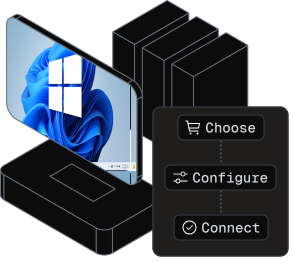
No technical setup, no waiting on hardware. From checkout to a working Windows desktop is usually under 30 minutes.
Choose the region closest to your work and the size that fits your workload Basic, Advanced or Professional.
Choose the region closest to your work and the size that fits your workload Basic, Advanced or Professional.
//Why DashRDP
Plenty of hosts sell "RDP." A private node is different: root-level control, guaranteed resources and a clean, dedicated IP that's yours alone backed by real infrastructure and people.

Install any software, open ports, edit the registry and manage services with no restrictions.
Your own CPU, RAM and SSD plus a clean dedicated IP. No overselling, no noisy neighbors.
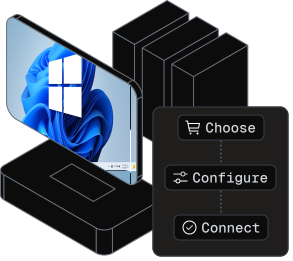
RDP credentials are typically delivered within 30 minutes of payment, ready to connect.
Redundant infrastructure with automated failover keeps your desktop online around the clock.

TLS encryption, firewalling, DDoS protection and 24/7 monitoring in ISO 27001 / PCI DSS / GDPR-aligned data centers.

Live chat, tickets, and optional premium WhatsApp support add-on real engineers, not bots.
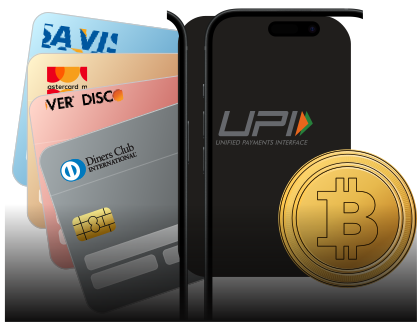
Bitcoin, PayPal, cards, Perfect Money, UPI, PayTM, PhonePe and Google Pay all accepted.

Rated 4.8 / 5 across 6,234 customer reviews and serving users in 30+ regions.
//Compare
Three questions settle almost every RDP decision: private versus shared, RDP versus VPS, and whether to use an RDP at all instead of your own PC. Here's the honest breakdown.
| Feature | Private | Shared |
|---|---|---|
| Resources (CPU/RAM) | Reserved for you | Reserved for you |
| Admin access | Full administrator | None |
| Dedicated IPv4 | Yes | No (shared) |
| Performance | Consistent | Varies under load |
| Best for | Trading, bots, dev | Light browsing |
| Starting price | $10.99/mo | $3.99/mo |
| Feature | RDP | VPS |
|---|---|---|
| What it is | Ready Windows desktop | Server you configure |
| Operating system | Windows | Windows or Linux |
| How you connect | Desktop via mstsc | RDP or SSH |
| Setup effort | Log in & work | More config |
| Best for | Desktop, trading, automation | Web / app hosting |
| A Windows RDP is effectively a Windows VPS you connect to over Remote Desktop the terms overlap in everyday use. | ||
| Feature | Private RDP | Local PC |
|---|---|---|
| Availability | 24/7 always-on | Off when you sleep |
| Network | 1 Gbps datacenter | Home ISP |
| Location choice | Pick your region | Fixed |
| Access | Any device, anywhere | One machine |
| Cost model | Low monthly | Big upfront |
| Uptime | Redundant + failover | Single point of failure |
//Related products
Match your workload to another DashRDP environment remote desktop, residential IPs, dedicated hardware, VPS, or VPN.

Residential IP Remote Desktop
Genuine residential ISP IPs for marketplace selling, ad accounts, scraping, and geo-sensitive workflows that block datacenter addresses.
Best For
Bare Metal Server
Bare-metal performance for high-demand projects, streaming, gaming, and enterprise workloads with dedicated hardware and full control.
Best For
Virtual Private Server
Flexible virtual server for hosting, development, and scalable projects with full root access and resources that grow with your needs.
Best For
Virtual Private Network
Encrypted connectivity with OpenVPN and WireGuard options for private network access and secure browsing.
Best For
//Also in this product line

//Deploy Now
Choose a location, pick a size, and connect. Full admin access, dedicated IP and instant setup from $10.99/month.
//Q&A
Clear answers about dedicated admin remote desktops, global locations, setup, IPs, and support before you order.


